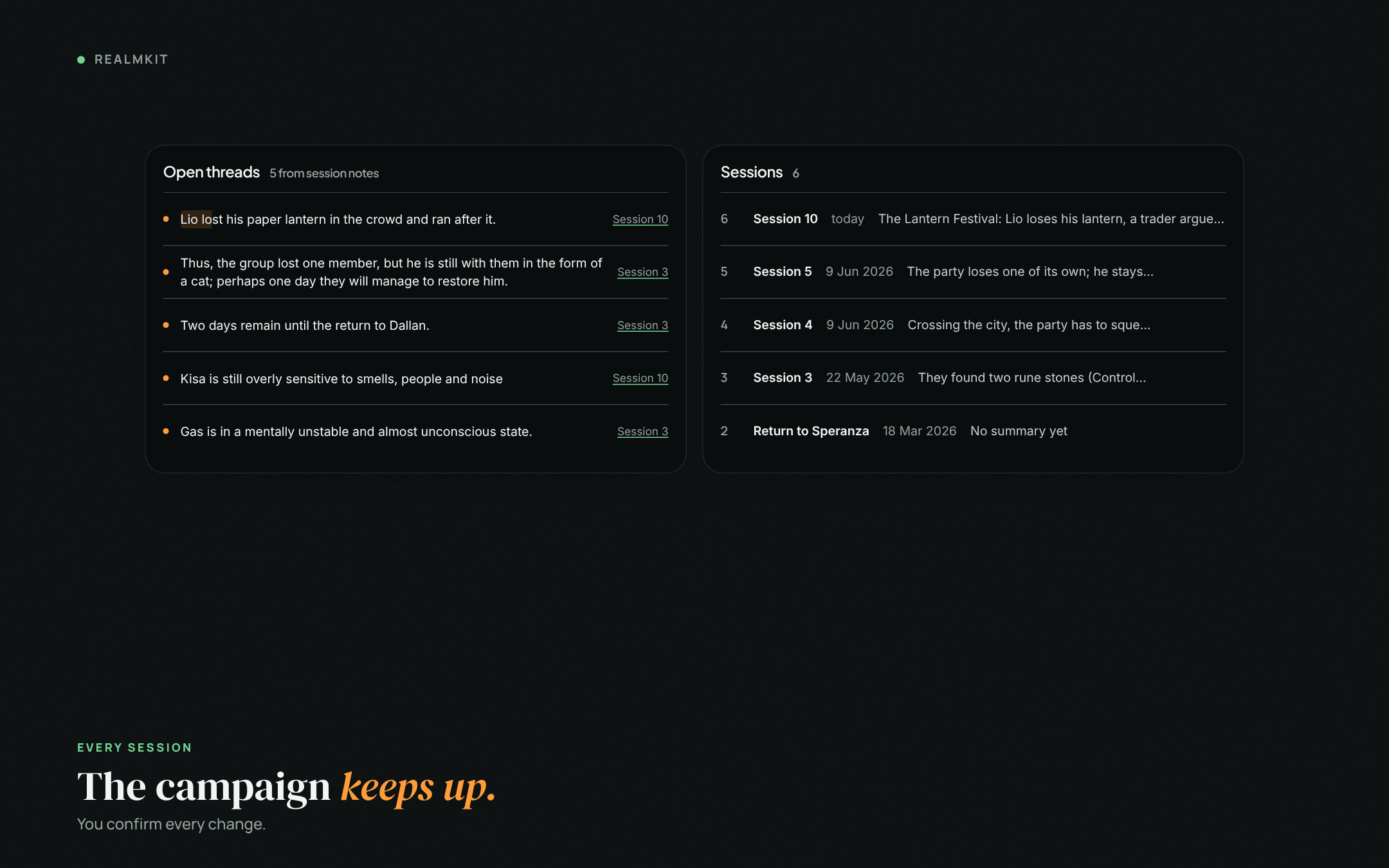
Realmkit turns what you wrote into pages, timelines, open threads and state changes. Years of notes from Notion, Obsidian or Word come in within minutes.
After every session, something in your world is out of date.
Most campaign tools are wikis about a world. Realmkit is built around the campaign that runs in it: the sessions, what they changed, what is still open, and the pages behind all of it.
The captain fell from the tower in session 9. His page still says he guards the gate.
Realmkit reads the session you wrote and proposes the change on his page and on the timeline.
Creation Mode · Review
The captainChange·Character · Status
Guards the east gate→Fell from the tower
Session 9, scene 3: «…the captain lost his footing on the parapet and fell.»
Affects: The east gate · The city watch · Session 10 plan
Saturday, 7 pm. Notes in Obsidian, the battle map in Foundry, music in Youtube, the players in Discord, and a second monitor to fit it all.
Play mode runs the session from the plan you wrote: the scene text in the centre, who is here with their stat blocks at hand, the fight and the music one click away, and your notes as you go.
Play mode · Session 8
Scene 2Scene 3 · Gas’s recoveryScene 4If the party goes to the cathedral
Torvin can try to pull his mind back and stabilise him. Torvin gives Kisa the recipe for a potion he devised and asks him to gather the herbs in the shop. Torvin asks them to tie Gas down and hold him.
At hand
Torvinstat blockTorvin’s shopLuminaris Cathedral2 imagesFightStartAmbience · herb shop▶
Fiora11/40 · AC 14 · BloodiedGas34/34 · AC 16Rurik28/28 · AC 12+2
Bring the notes once. Then write, review and play, every session.
Realmkit
Import
Import your notes
Realmkit reads your notes, adds what is clear and asks you about the rest. Notion and Obsidian exports, Word, PDF and plain files all work.
Drop files or a whole folder hereZIP, Markdown, TXT, HTML, DOCX, PDF, JSON, CSV and images. Uploading starts right away.
Export-5a047f8e-notion.zipUploaded · 129 files
Session 9.mdUploaded
Luminaris Cathedral.docxUploaded
Notebook page 14.jpgUploaded
Start import
Notion export
Session 9.md
Luminaris Cathedral.docx
Notebook page 14.jpg
Import review
129 files · 65 entries ready · 14 questions
Run details
Apply 65
To decide · 14Automatic · 51Done
Pick the right value7
Brix ThornvaleCharacterWhich ancestry is correct?
GnomeDwarfOtherDrop
The DocksLocationWhich location type fits best?
RegionHubOtherDrop
Same entry?3
Session 1SessionIs this the Session 1 that is already in your campaign?
SameDifferentDrop
Keep it?4
Corsair PassageLocationAdd this location to your campaign?
KeepDrop
65 entries added to Echoes of the Forgotten
Create new
Grouped viewCustom view
Categories
Characters
Lio
Gas
Kisa
Brix Thornvale
World
Luminaris Cathedral
The Docks
Quests
Organisations
Encounters
Sessions
Session 9
Notes129
Lio
NPC · from NPCs and factions
Lio
Tag
Connections 3
Luminaris CathedralLives in · Place
Session 9Appears in · Session
KisaTravels with · NPC
Creation mode
Session 10
3 things left for Session 10· 4 threads waiting
Review found 3 events and 1 change· keep or drop each
Applied: 2 events and 1 change· Lio, Kisa updated
Review
Reviewing
Apply 3
Exit
Scene 1The Lantern Festival
Who's here
LioGasKisa
Beats
The city gets ready for the Lantern Festival
Lio loses his paper lanternOn the timeline
A trader argues with a drunk customer
Kisa still reacts too sharply to smells, people and noise
No fight here · Add music
Ninth game
Crossing the city, the party has to squeeze through the crowd.
1The Lantern Festival
The city gets ready for the evening, and:
coloured lanterns go up along the streets,
stalls sell sweets, mulled wine and spices,
musicians play at the crossroads,
children run about with paper pinwheels and tiny lanterns.
Options
a child loses a lantern and cries: In the crowd, a little boy named Lio loses his paper lantern – the wind takes it, or a passer-by knocks it away. Lio starts crying as he runs after it.
a trader argues with a drunk customer; the customer spits at the stall, turns sharply and bumps into Gass
Kisa still reacts too sharply to smells, people and noise
The city gets ready for the Lantern FestivalEvent·Scene 1 · by evening
Add to the timeline?
KeepDrop
Lio loses his paper lanternEvent·Scene 1 · Lio
Add to the timeline?
KeepDrop
KisaChange·Character · Other
still reacts too sharply to smells, people and noise
Scene 1 · The Lantern FestivalScene 2 · Luminaris CathedralScene 3 · Brother KassianIf the party stays to rest
Play mode · Session 10 · Scene 2 of 3
Luminaris Cathedral
A tall, richly decorated building dedicated to the god of light, truth and justice. Many parts of it seem to be made of glass and mirrors, so the cathedral itself looks like the source of the light.
Golden light falls sharply on the party, reflected from a mirror far out of reach. The moment Gas sees this light on himself, a flashback begins.
Above the great gates you see the sign of Sefarix: a sun disc with a long vertical sword at its centre, point down.
Kisa stays outside; the smell of wax is too much for him.typed in play · 21:16
At hand
GasPaladin · stat block · 34/34
Brother KassianNPC · temple servant
Luminaris CathedralPlace · 2 images
FightStart · opens the battle map
Ambience · cathedral▶ 12:00
Fiora11/40 · AC 14 · BloodiedGas34/34 · AC 16Rurik28/28 · AC 12Kisastayed outside
Step 1
Bring your notes.
Notion, Obsidian, Word, PDF, photos of a notebook.
Step 2
Answer a few questions.
Only where Realmkit is unsure. Everything else is ready.
Step 3
Your world, connected.
Pages, stat blocks and the links between them.
Step 4
Write the next session.
In scenes, in your own words. Review finds what changed.
Step 5
Play, from the same plan.
Stat blocks and music at hand, notes as you go.
Curious what we are building?
The timeline shows every feature that shipped and what comes next. Missing something? Tell us what to build.
Any TTRPG world. Characters, places, quests and sessions work the same whatever you play, and notes from any system import. Fifth edition is the main rule set today, with its rules reference built in; more rule sets and sources are coming.
Does Realmkit write content for me?
No. It never invents characters, places, plots or art. It organises what you wrote and asks you before anything changes. How Realmkit uses AI
Which files can I import?
Notion exports, Obsidian vaults, Markdown, text, HTML, Word, PDF and JSON. Characters come in from D&D Beyond by their link.
What languages can my notes be in?
Any language, or several at once. Realmkit can also translate them while importing.
Free during beta. When Realmkit gets a paid plan, DMs keep access to their files: basic access stays yours. The first testers who join during the beta get bonuses and privileges, depending on their contribution and feedback.
Can I export my campaign?
Yes, any time. Campaign Settings → Export downloads the whole campaign as a zip: every page as a Markdown file, your images and files, and a copy Realmkit restores into a new campaign. Open the folder in Obsidian as a vault, or print any page from its menu. Your notes are stored on a server in the EU. Privacy policy
Does it work on a phone?
Realmkit is made for a laptop or desktop screen. A phone version is planned.
Join the first DMs testing a new way to prepare sessions and build worlds.